People Engagement Tool I HR Solutions
The Solution offers organizations that aim to create a more responsive and supportive working environment, ultimately leading to greater employee satisfaction and organizational success.
Timeline
1 Year
Deliverables
Customer Interviews
Personas
User Journey maps
Wireframes
UI Design
Research
Requirements Workshop
The project team consisted of data scientists, HR specialists, Project managers, and Software Engineers. At the beginning of the project, we defined the project scope and objectives. I held a requirements workshop to understand and learn the different user flows for the employee and manager's experience.
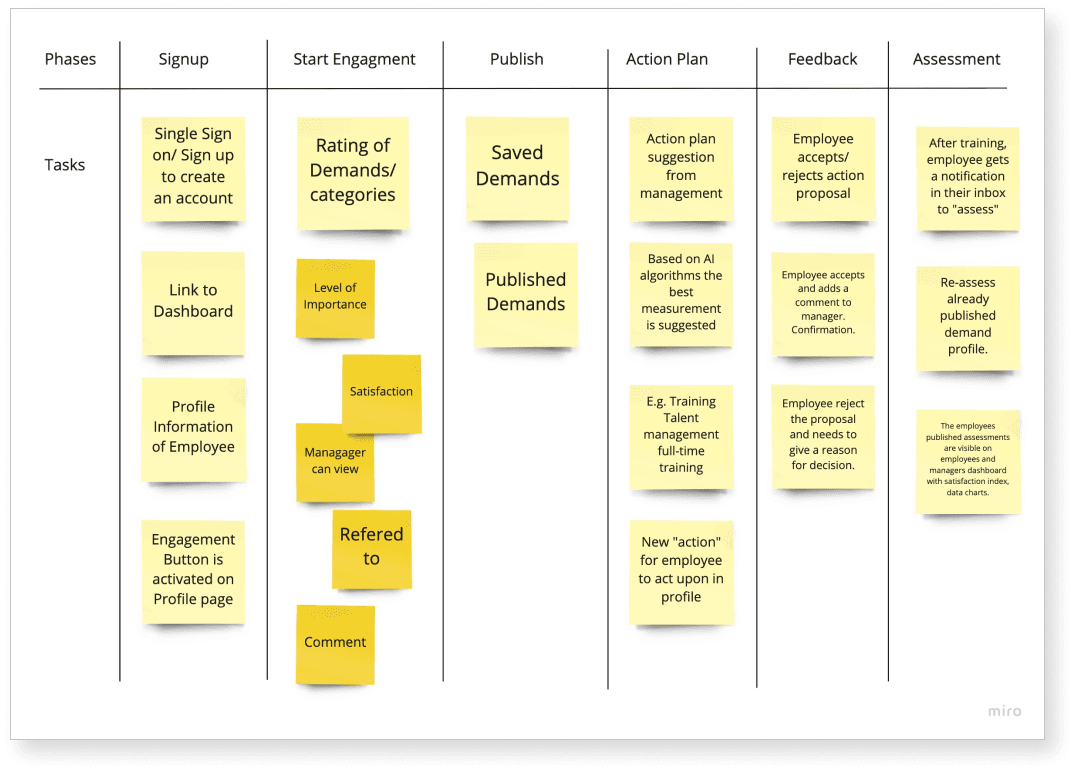
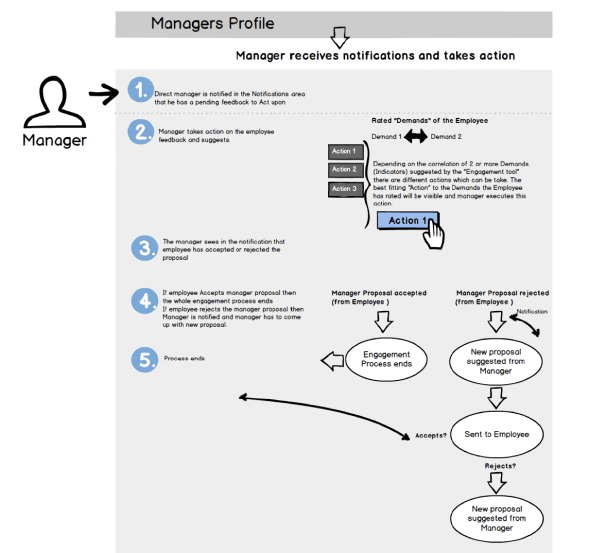
The user flows emerged out of the requirements workshop.
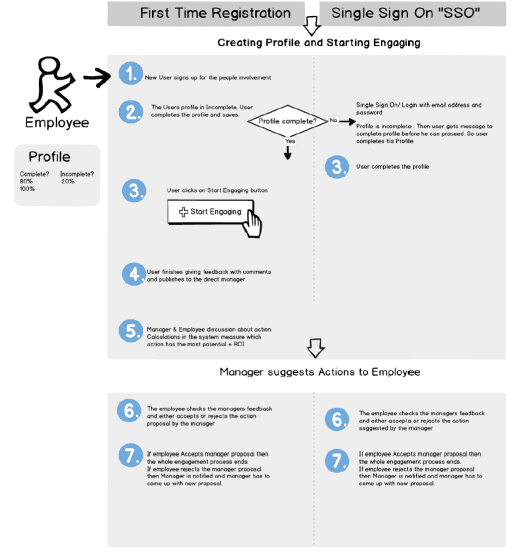
Use Cases for Employee & Manager
The Employee
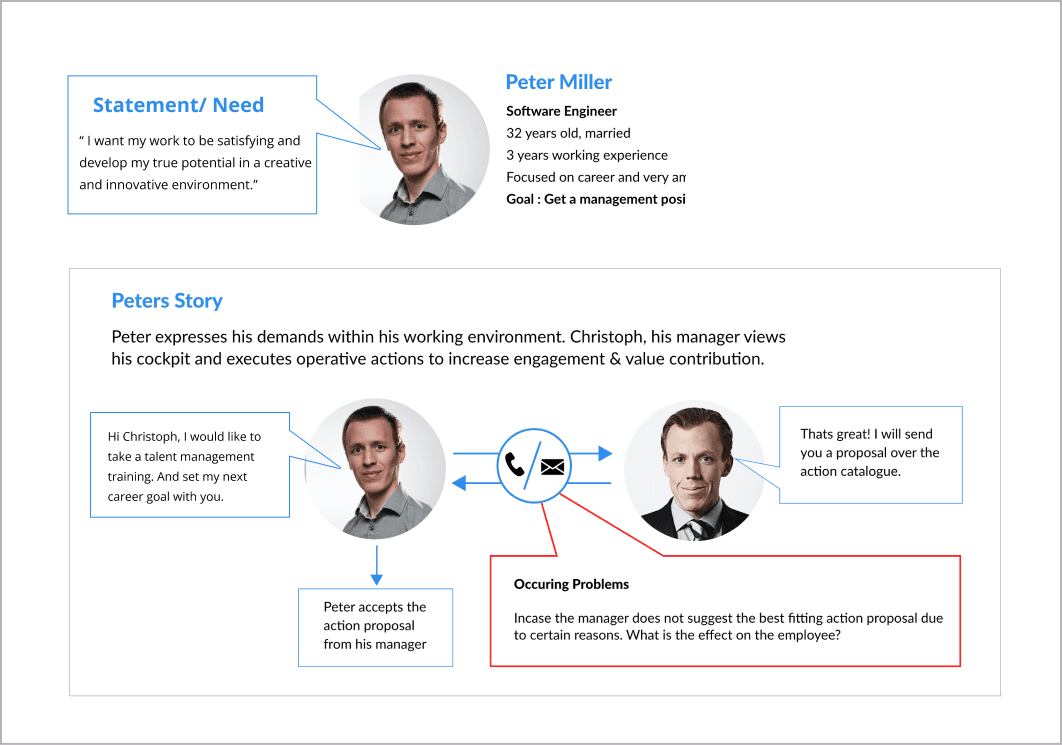
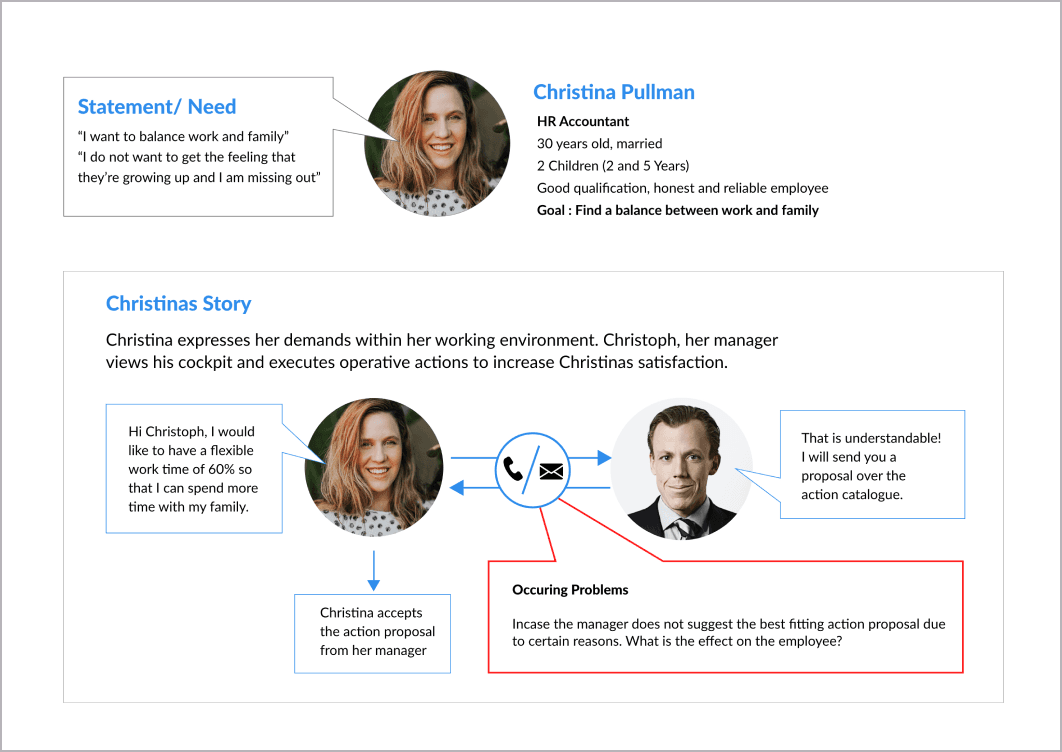
The employee's demands in his workspace. The correlation between the rated demands, level of importance, and overall satisfaction is measured and visible as data points on the manager's dashboard. The AI system suggests the best action plan based on these data points.
The Manager
The manager views his cockpit and takes actions to increase the employees' engagement and value contribution. Based on the correlation of the rated demands, level of importance, and the satisfaction index, the manager sends the employee an action proposal. After engaging with the tool, the employee can do a self-assessment and evaluate their performance on their cockpit.
User Story Employee: Peter Miller
User Story Employee: Christina Pullman
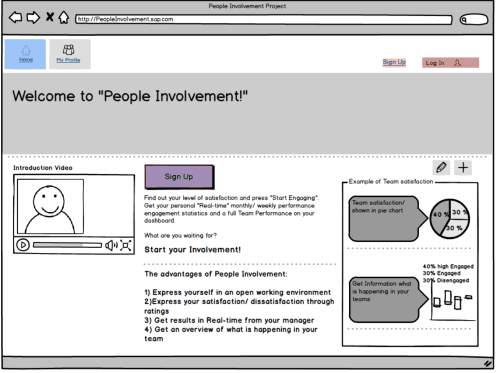
Prototyping
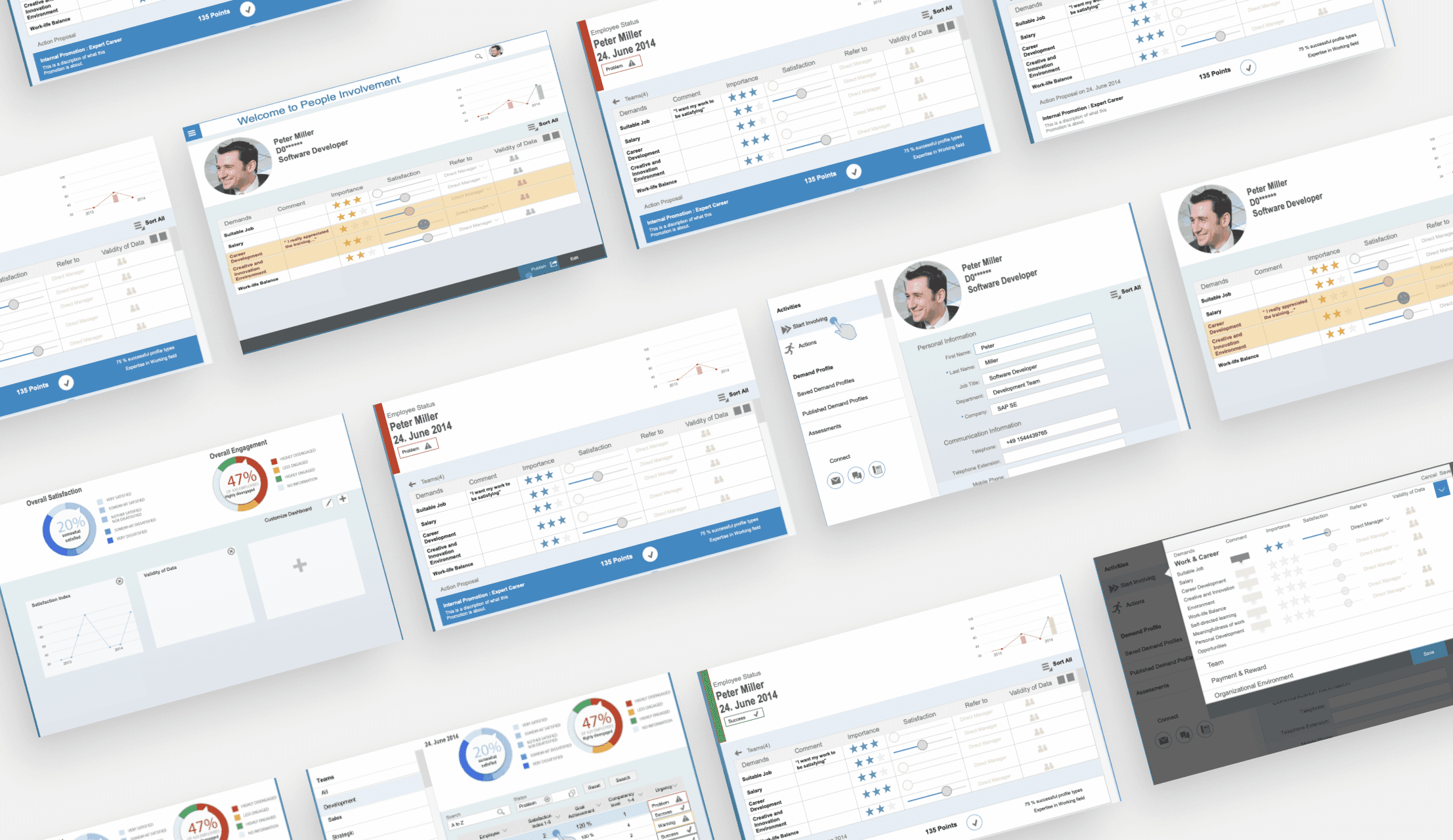
Dashboard Basic Features
By incorporating these features, the dashboard in the HR tool could provide comprehensive, real-time insights into employee engagement and satisfaction, facilitating informed decision-making and proactive management.
Overview Dashboard
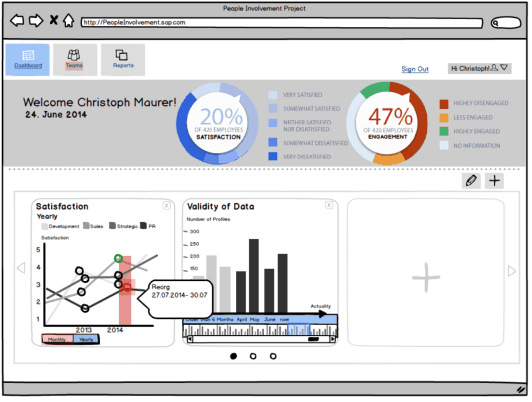
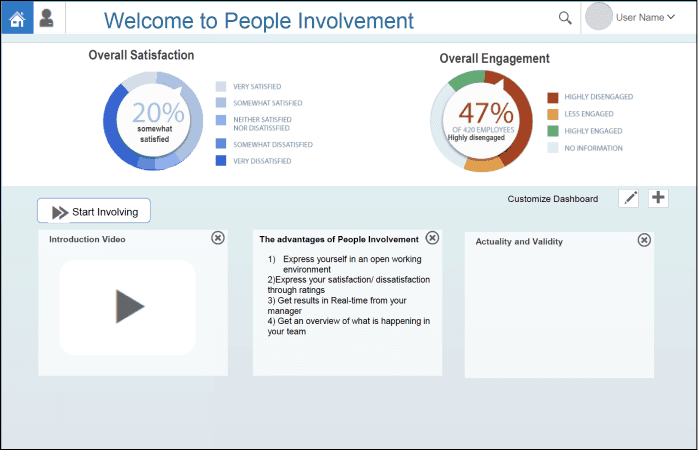
The overview shows a Welcome Screen and Personalized welcome message for the Employee. An Employee Profile Summary gave a quick view of profile with key information like name, position, and recent activity.
Key Performance Indicators (KPIs):
The KPIs for the Dashboard included Employee Engagement, Metrics showing engagement levels based on feedback and survey participation. The second KPI was Feedback Response Rate, the percentage of employees who have submitted feedback or responded to surveys. The last KPi was Satisfaction Scores, the average satisfaction scores derived from employee feedback.
Feedback and Survey Insights
This section of the dashboard includes recent Feedback, a list of the most recent feedback submissions with summary information. Survey Results, an overview of ongoing and completed surveys with quick access to results. Top Issues, the most common issues or suggestions raised by employees, categorized by department or topic.
Task and Notification Center
Pending Actions, a list of pending tasks for the HR team, such as reviewing feedback or sending follow-ups. Notifications, alerts for new feedback submissions, survey deadlines, and upcoming training sessions. And reminders, automated reminders for incomplete surveys or pending feedback actions.
Visual Data Representations
These include Charts and Graphs, Bar charts, pie charts, and line graphs to visualize data trends and distribution. Heat Maps, a visual representation of feedback density and sentiment across departments or locations.
Search and Filter Functions
A Search Bar, a search function to quickly find specific feedback, surveys, or employee records. As well as advanced Filters to sort data by date, department, sentiment, and other criteria.
Use Case: The Employee starts to engage
The Employee starts his journey
The Manager gets notified and takes action
The Employee gets a proposal
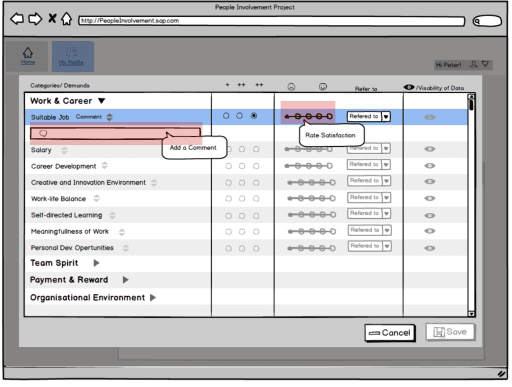
The Employee Re-assesses
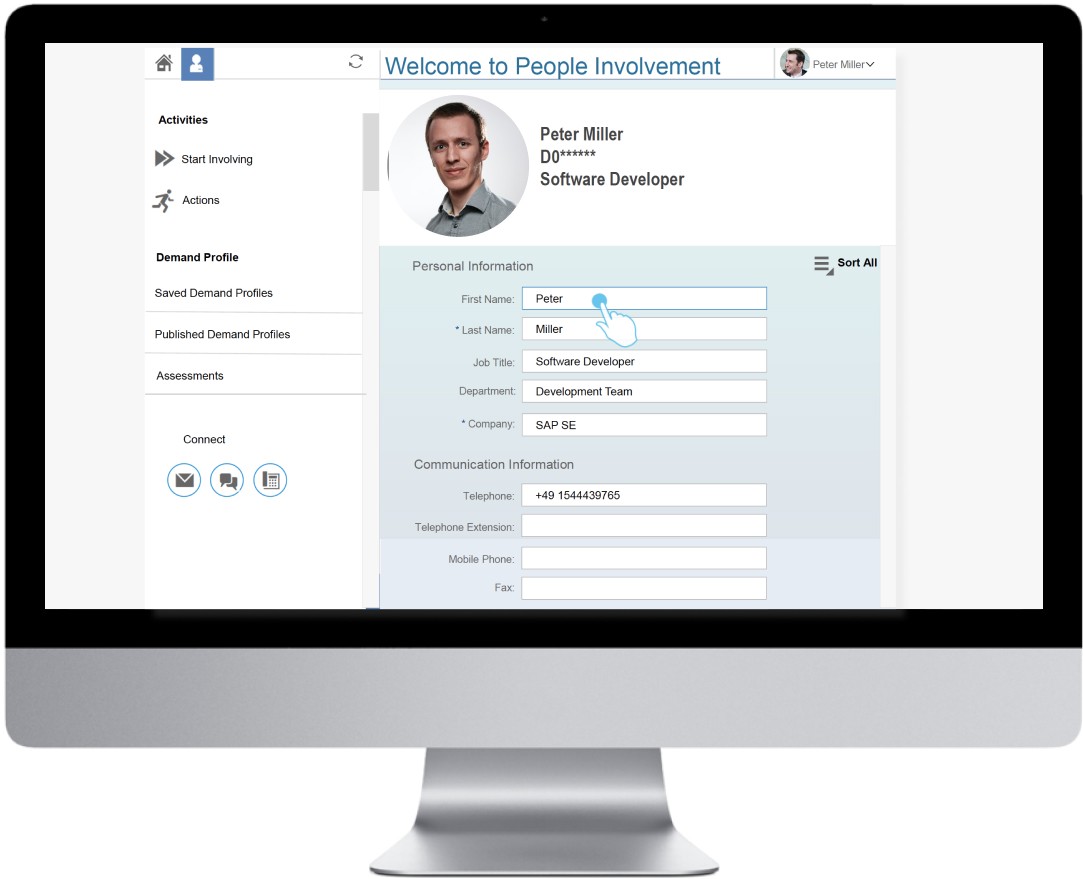
Employee Profile
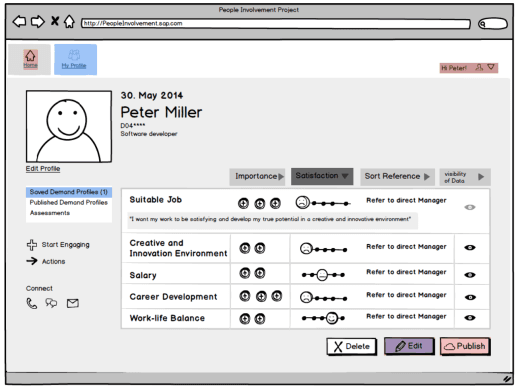
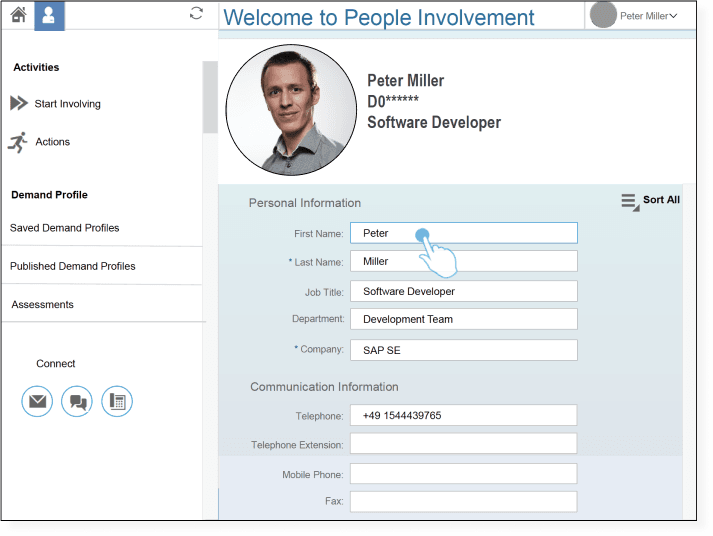
An Employee Profile page in SAP Fiori provides comprehensive information about employee information, including personal details, job-related information, and performance metrics.
Dashboard Profile
The Dashboard Page in SAP Fiori serves as a central hub that provides employees with an overview of key information and quick access to frequently used functions. It aggregates data from various sources and presents it in an easy-to-understand format.
Results
The HR People Engagement Tool was designed to foster open communication and continuous improvement by enabling employees to express their needs and give feedback on their work environment. Through SAP Fiori design principles, the tool delivered an intuitive Dashboard and Employee Profile interface, ensuring ease of use and accessibility.
Enhanced Employee Engagement
Developed a tool enabling employees to provide direct feedback and express workplace needs, fostering open communication and a culture of continuous improvement.
User-Centric Design with SAP Fiori
Created intuitive UI concepts for the Dashboard and Employee Profile using SAP Fiori design patterns, ensuring clarity, ease of use, and efficient access to key functions.
Support for Organizational Change
Supported change management by addressing the people side of transformation, improving management’s insight into employee concerns, and contributing to higher user satisfaction and adoption.