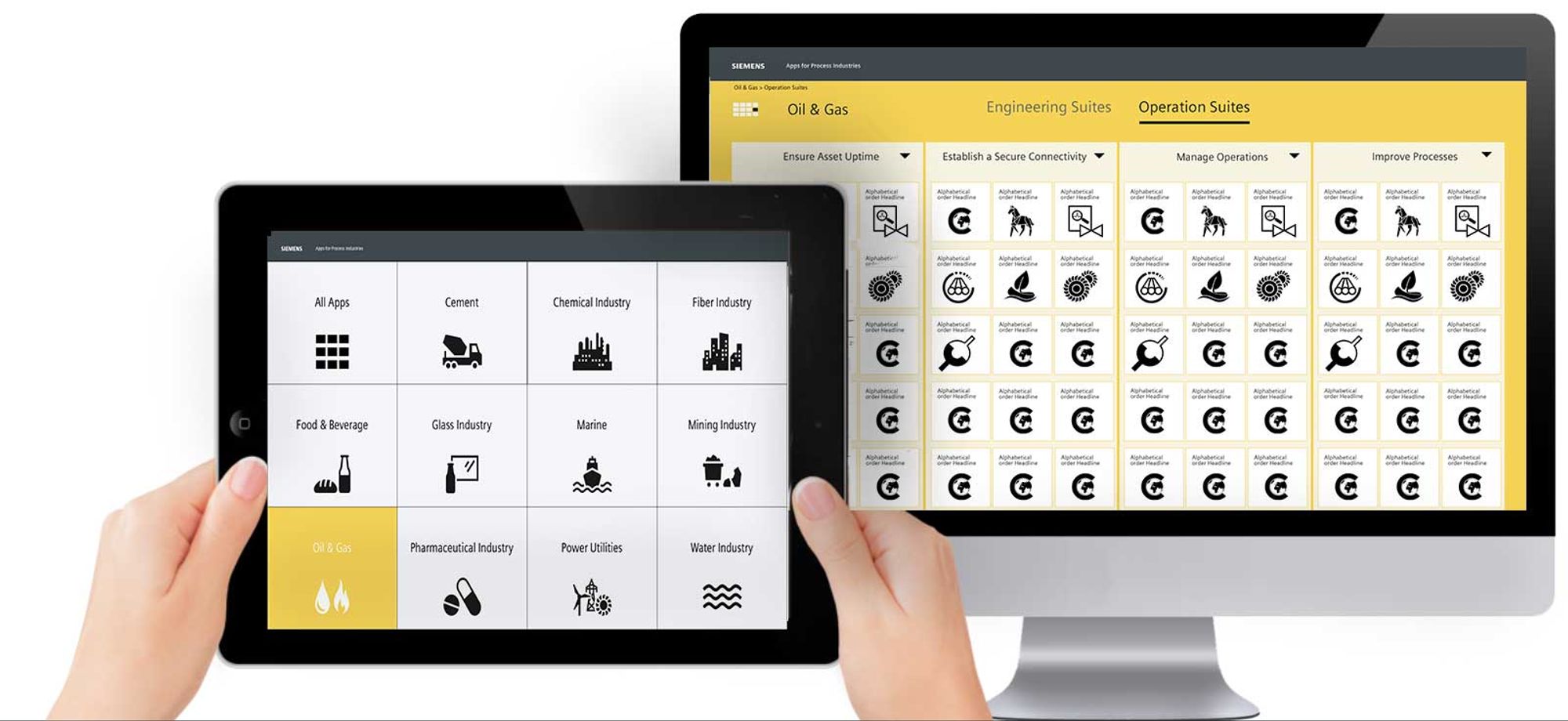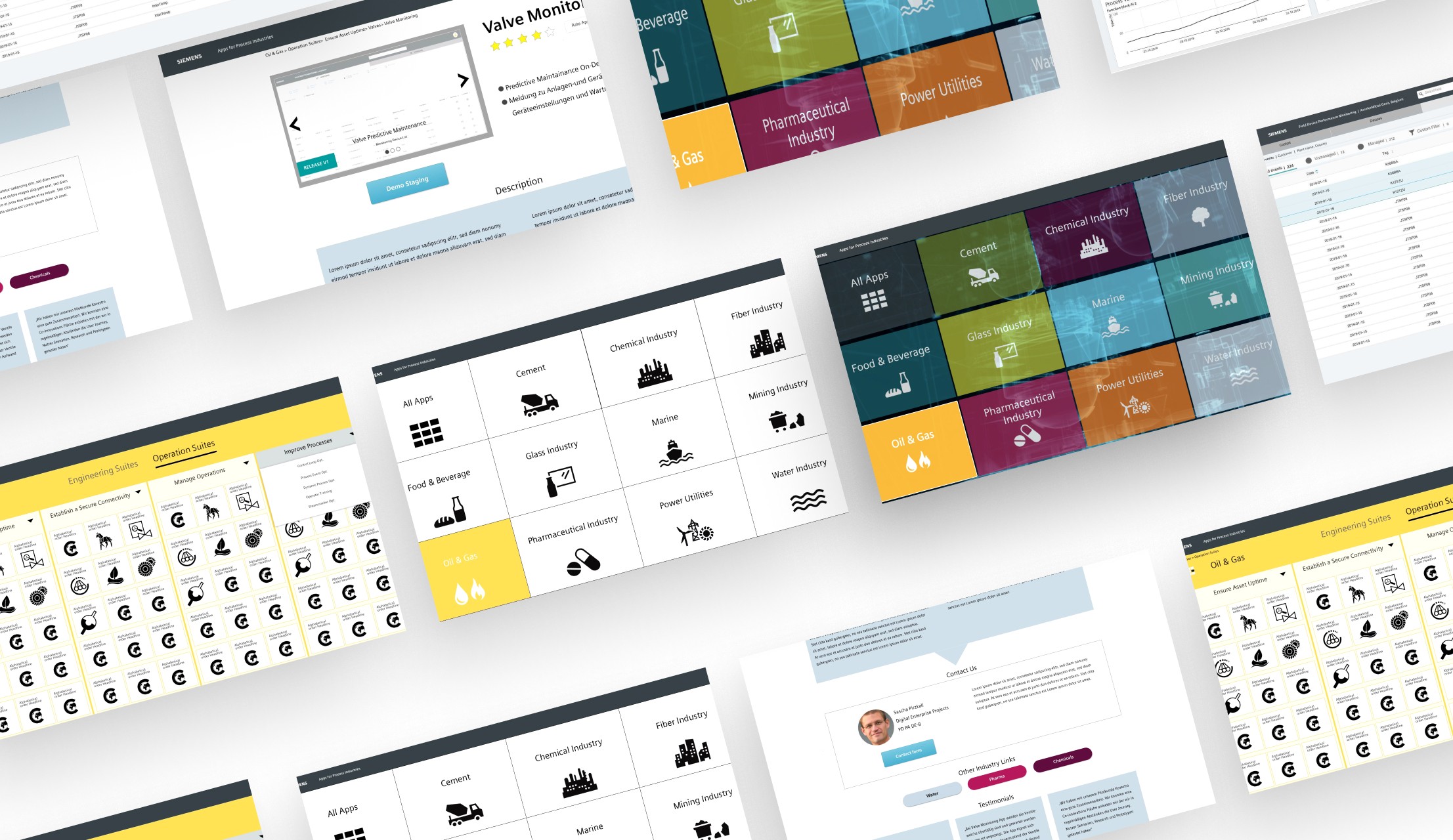
B2B Smart Suite Apps
The Smart Suite Apps Overview is an intelligent combination of industrial smart apps tailored to provide a comprehensive solution to the industry's specific needs of Industrial process plants.
Timeline
Six-month MVP
Deliverables
Requirements Workshops
User Journey maps
Wireframes
UI Design
Research
UX Requirements Workshop
At the start of the project, I facilitated a UX discovery workshop with key stakeholders from the marketing and product teams to align on technical requirements and design priorities.
In close collaboration with developers, I iteratively shaped concepts for the Apps Suite Portal’s navigation and product pages, focusing on content hierarchy and detail levels.
The portal served two main user groups: internal marketing experts and external suppliers from the industrial process industry. While the final product would be accessible to customers via the Siemens MindSphere Store, internal users would access it through the company’s intranet.
Due to complex category structures, the navigation required simplification—for example, some subcategories spanned multiple product areas. I addressed this challenge by creating initial wireframes and conducting design reviews with the product owner to gather feedback.
Apps Suite Users
Internal: Stakeholders and Marketing experts
External: Suppliers of industrial process plants
Prototyping
Flat Navigation vs. Three-level Navigation Concept
Based on the insights and feedback we received from the interviews and workshops, I started creating user flows for the Main Page. The workshops helped define the product vision and empathy maps for two user groups, the service mechanic and the asset manager.
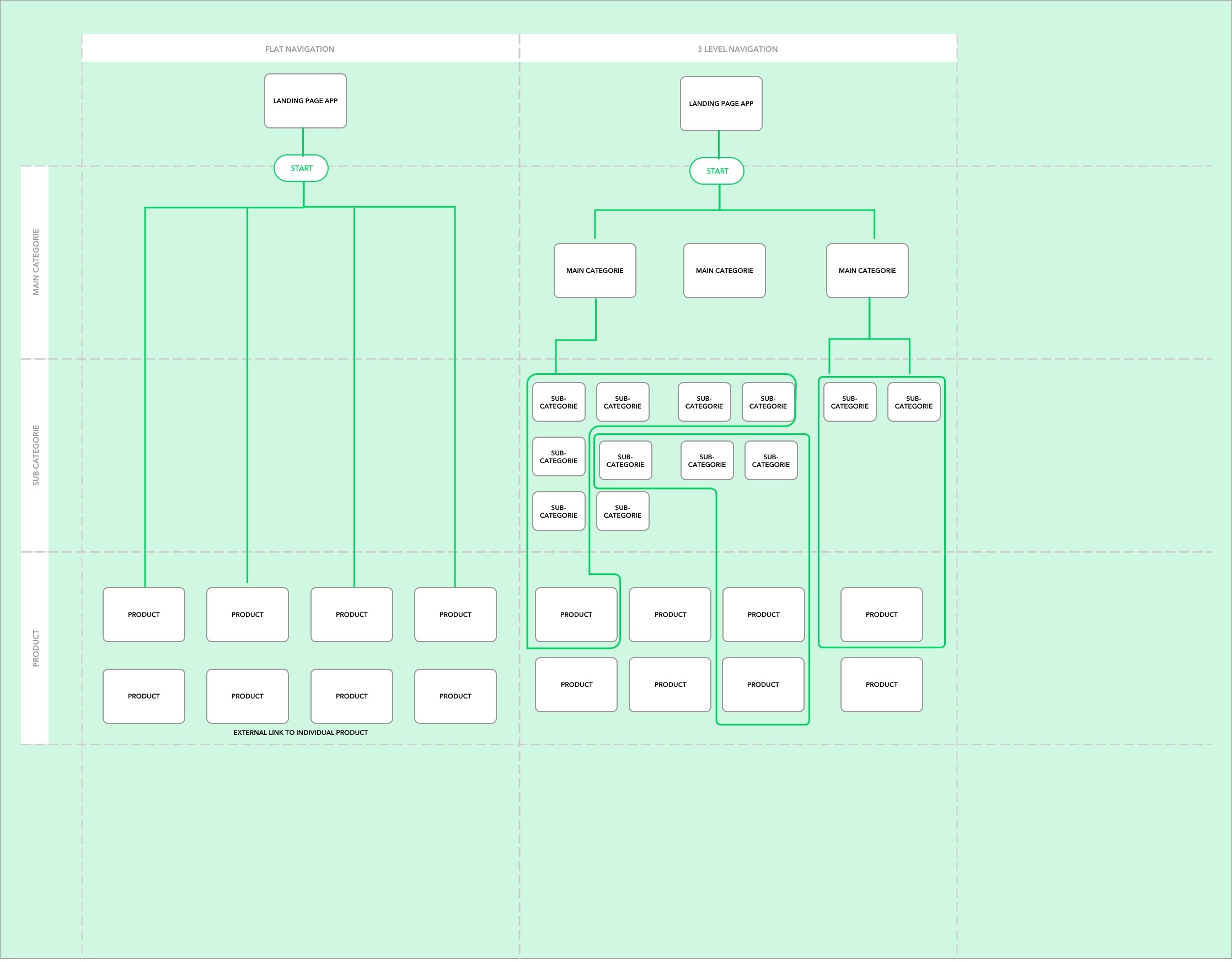
The following diagram outlines two main navigation concepts.
Three-level Navigation concept
The simple wireframe below demonstrates the three-level navigation structure consisting of the main category, the sub category and Product Details Page.
Filter of Information
Main Category
Sub-category
Product details page
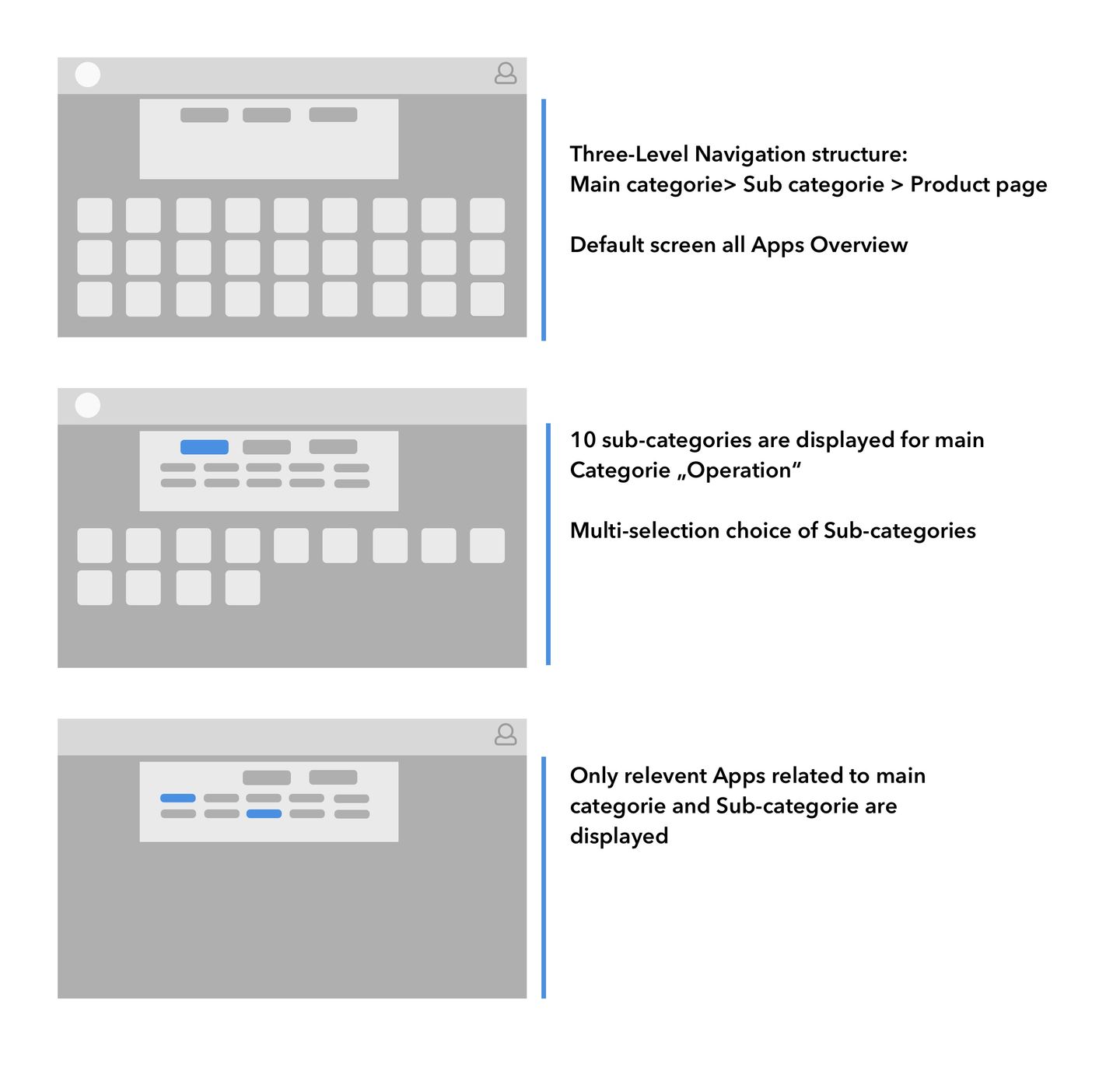
Three-level Navigation concept
Product Detail Page Concepts
The Product Details Page is designed to provide comprehensive and accessible information about a specific product, facilitating an informed decision-making process for users.
Based on the insights and feedback I received from the interviews with marketing experts and the requirements from the Product Owner during the workshops, I defined the user flows for the Product page. The goal was to create a concept of main functionality of the product page.
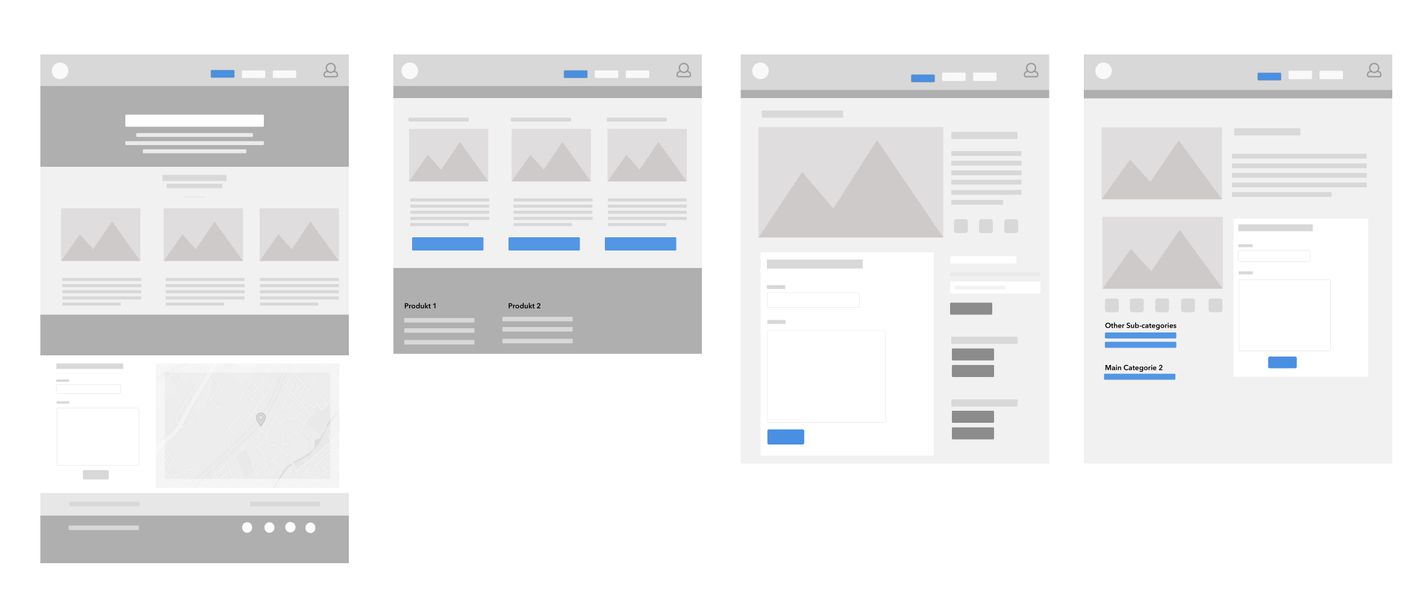
First Low-Fi Navigation concepts for the Product details page
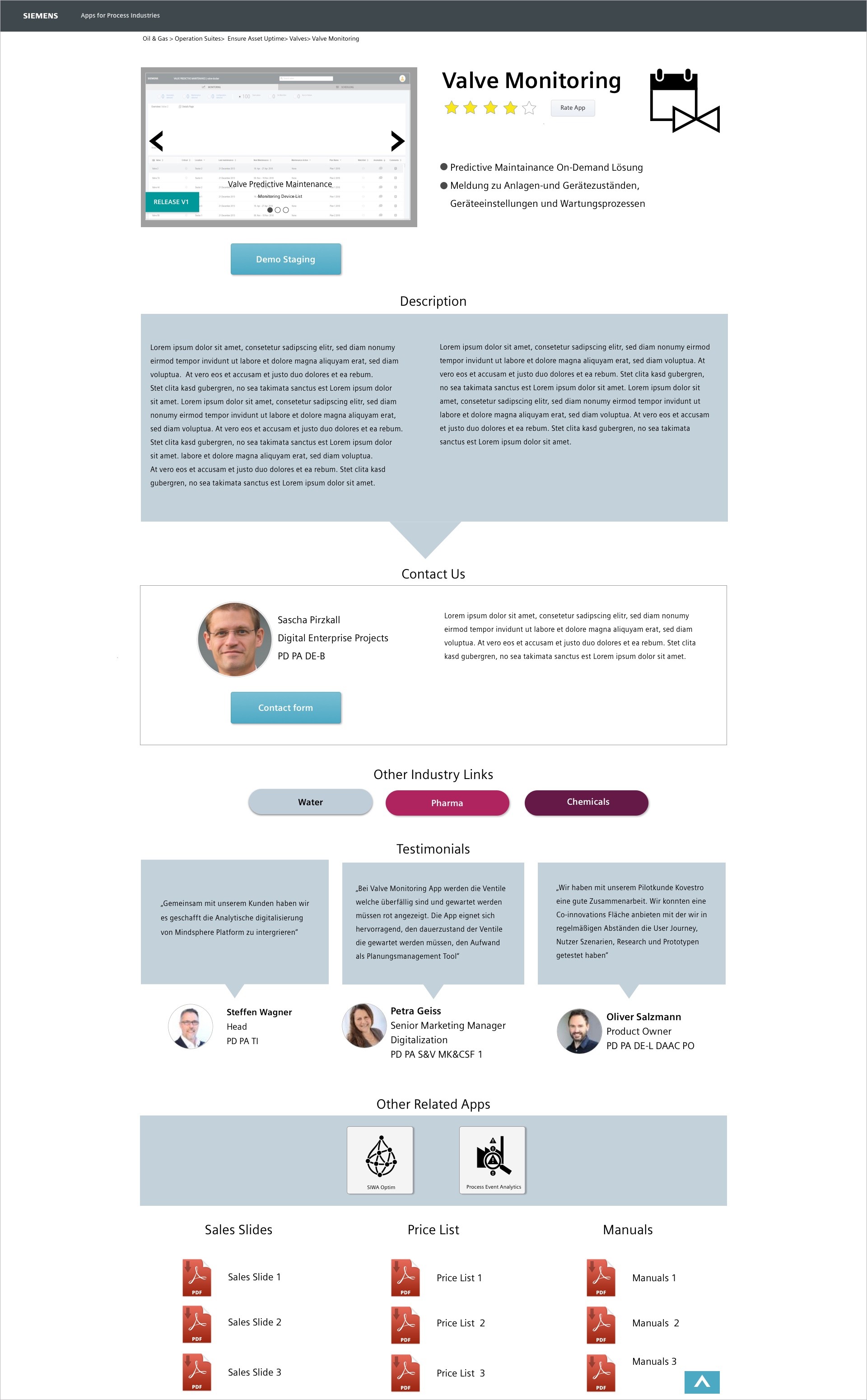
Main Functionality of the Product Details
Headline
Categories, Product image, Product headline and description, main features, release version
Other Category Links
Verticals and suites tags
Contact details
Product owner, email, phone number, Link to SCD(internal), Demo Link
Photo Gallery
Video & Photo Gallery slider with description
Documents include Price list, Sales slide, and Manuals
Link to PDFs
Results
Prototype as a Bridge
The prototype became a vital alignment tool between the marketing and product teams, enabling co-creation workshops and gathering early user feedback.
Stakeholder Demos & Reviews
By visualizing concepts early, the prototype helped align internal stakeholders and guide design decisions. It facilitated collaboration between marketing and product teams and enabled testing ideas with external users.
During product reviews, I presented the Supplier User Journey prototype to senior stakeholders, gathered feedback, and refined the design to improve usability and user experience.
Showcase Prototype at ACHEMA 2018 Trade Fair
Industry Focus: Oil & Gas
A realistic user scenario illustrated how the Supplier explores the platform: selecting the right vertical, browsing app categories, and accessing detailed product information, and preparing effectively for customer meetings.
Early-stage prototypes were validated with real users, providing insights that shaped the final design.