B2B Field Device App
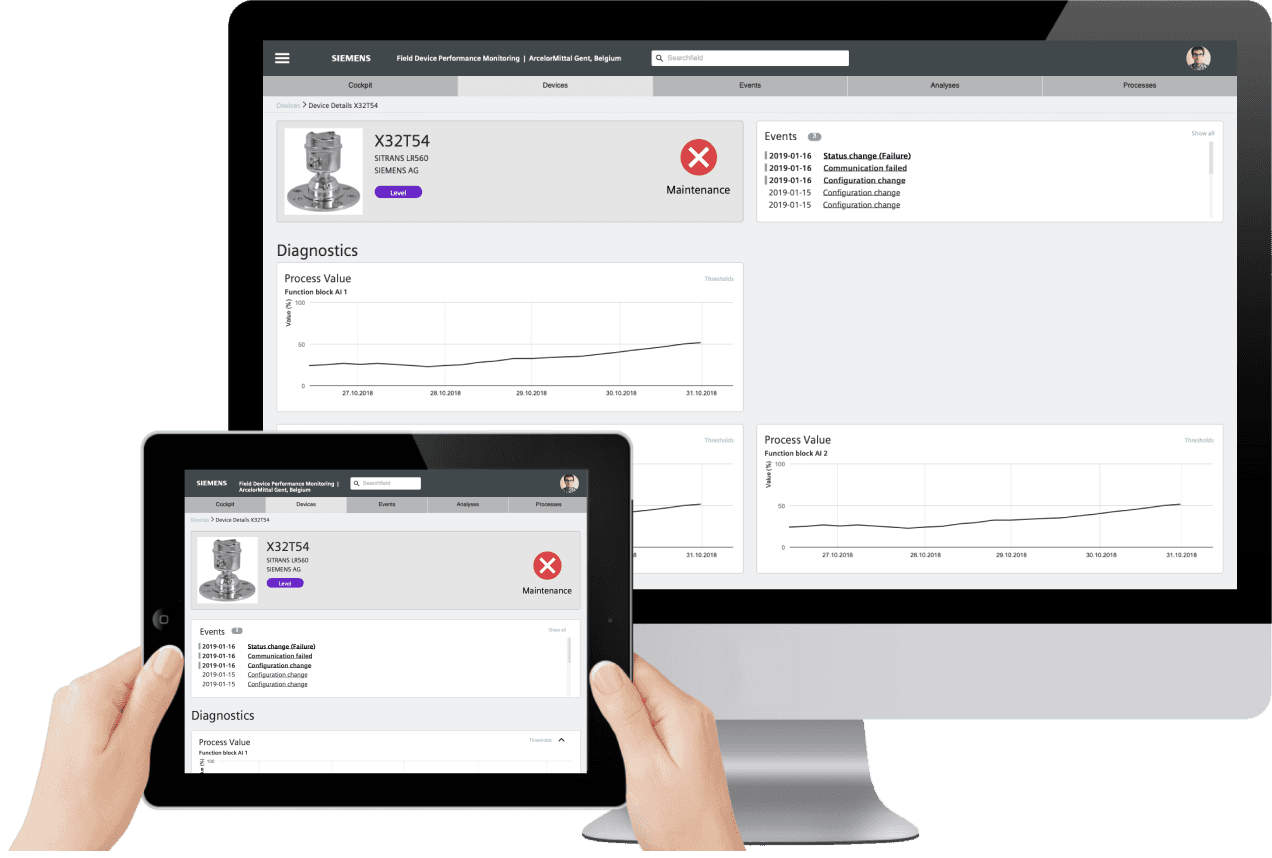
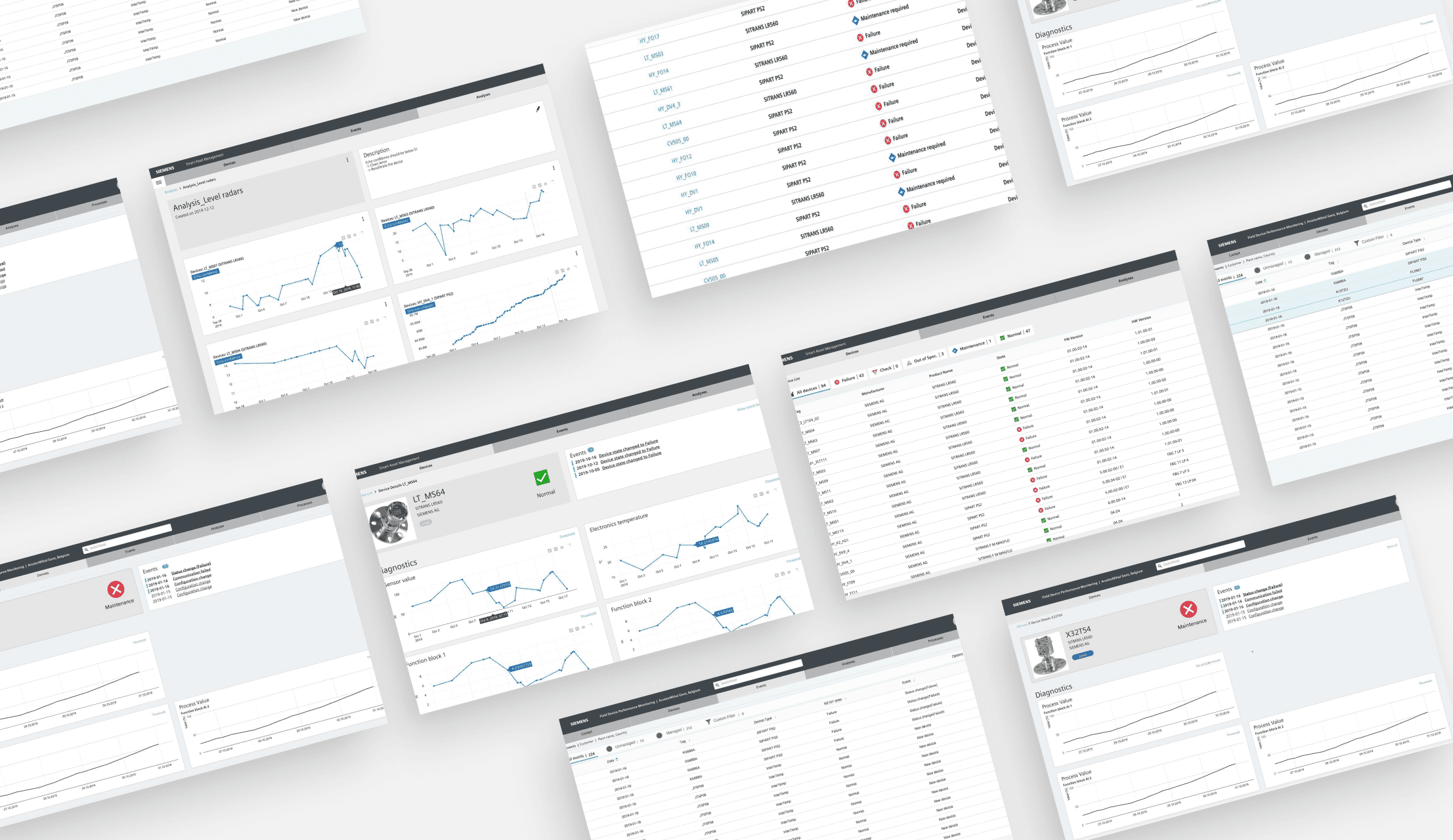
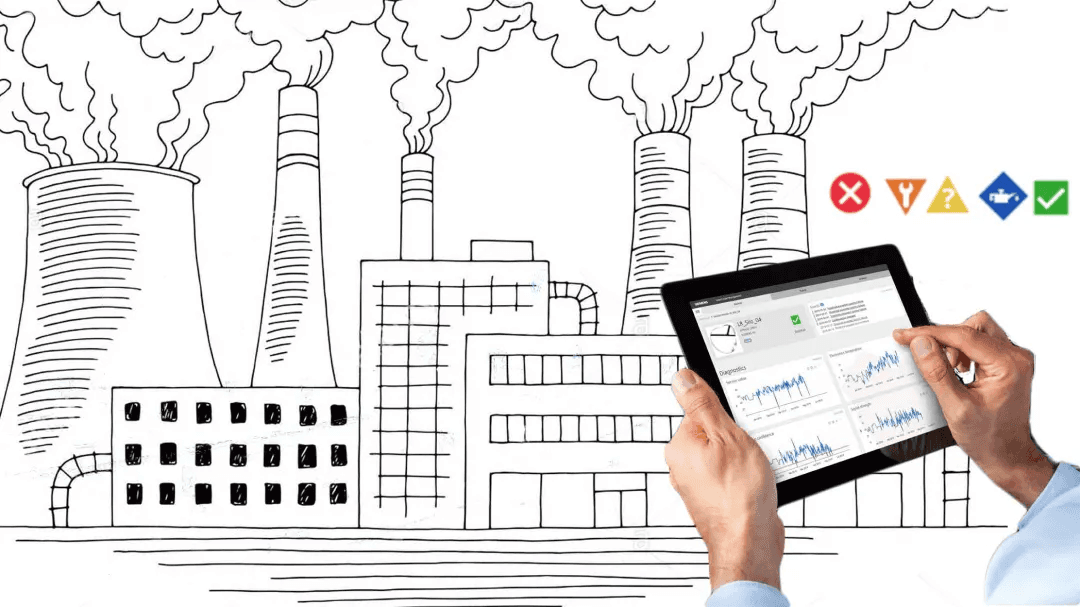
The Field Device Monitoring application helps asset- and service managers of industrial processing plants to monitor the status and health of their devices.
Timeline
Six-month research
Six-month MVP
Deliverables
Customer Interviews
Personas & User Journey maps
Wireframes
UI Designs
Research
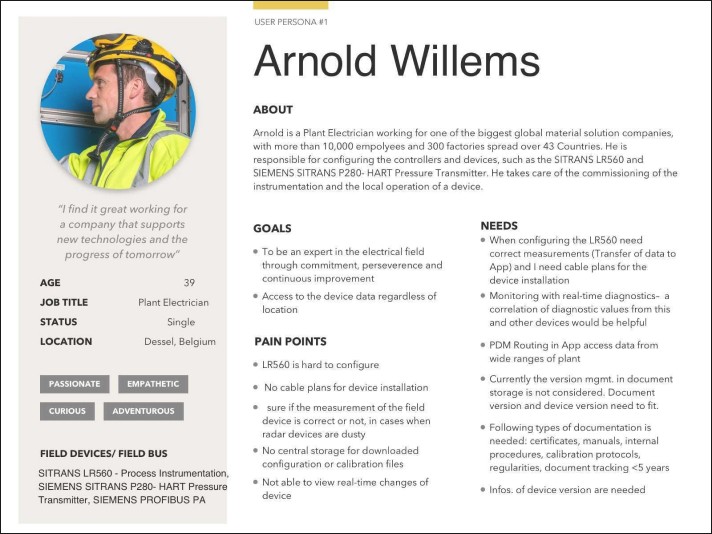
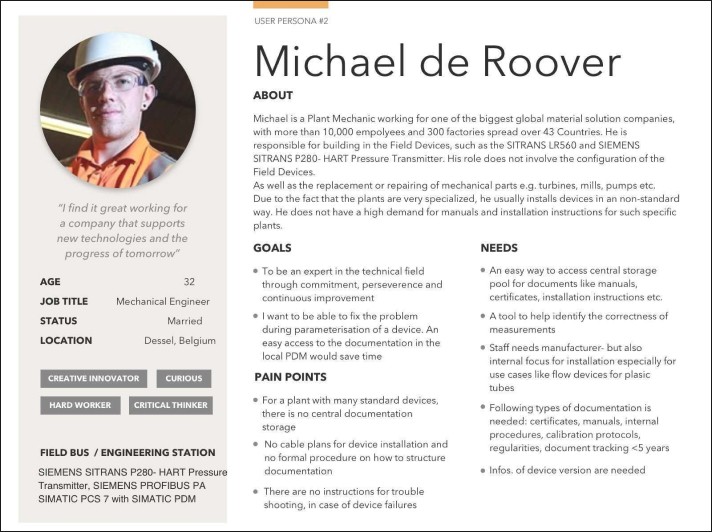
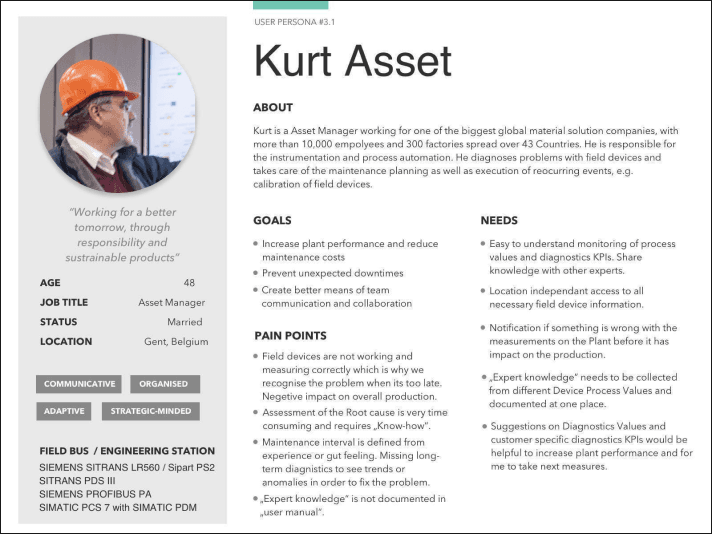
Three key personas emerged from the early UX workshops.
I conducted market research to identify existing scheduling challenges and user preferences. After an onsite visit to the customers and conducting design thinking workshops, the team defined target audience segments and outlined key features based on user needs and market trends.
Together with other designers, I collaborated to create intuitive user interfaces and interactive prototypes. Iteratively refined designs based on user feedback to enhance usability and visual appeal.
Through the feedback received during user testing, we narrowed down the features that we wanted to include in our high-fidelity prototype. We then conducted high-fidelity tests with the asset manager.
Prototyping
I collaborated with other designers to create intuitive user interfaces and interactive prototypes. Iteratively refined designs based on user feedback to enhance usability and visual appeal.
Through the feedback received during user testing, we narrowed down the features that we wanted to include in our high-fidelity prototype. We then conducted high-fidelity tests with the asset manager.
The workshops helped define the product vision and empathy maps for two user groups, the service mechanic and the asset manager.
The workshops helped establish buy-in, trust and understanding of the UX process from key members of the agile team.
The Field Device Life Cycle Process for Field Devices in Process Industries Standard covers a five-stage process. The main use cases emerged from the experience map opportunities in stage 3. After defining the most important use cases and tasks with the product owner, the design team was able to schedule and conduct remote usability tests with the pilot customers to validate the early stage design concepts.
Level 3 of the Journey Map covered the main functionality for the Field Device App.
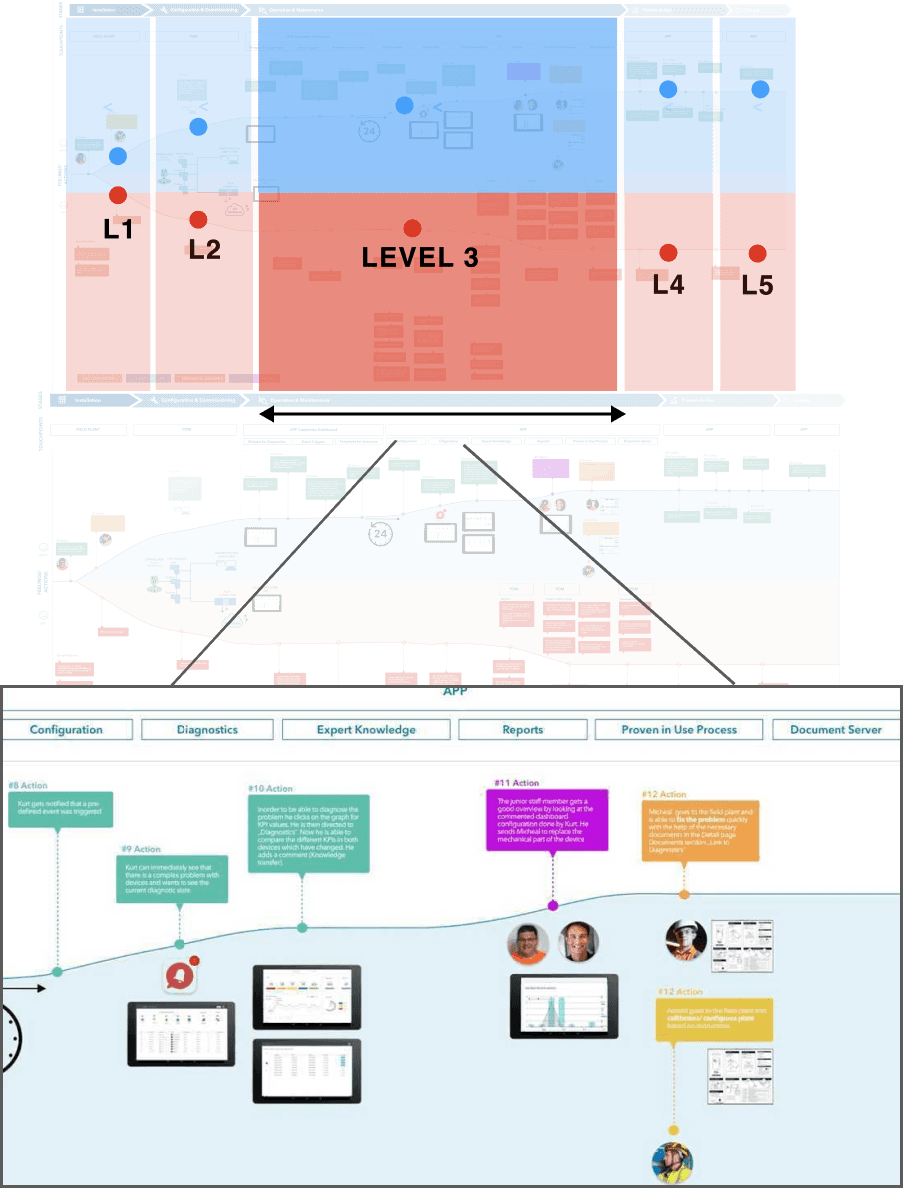
User Journey Map of Multiple Users
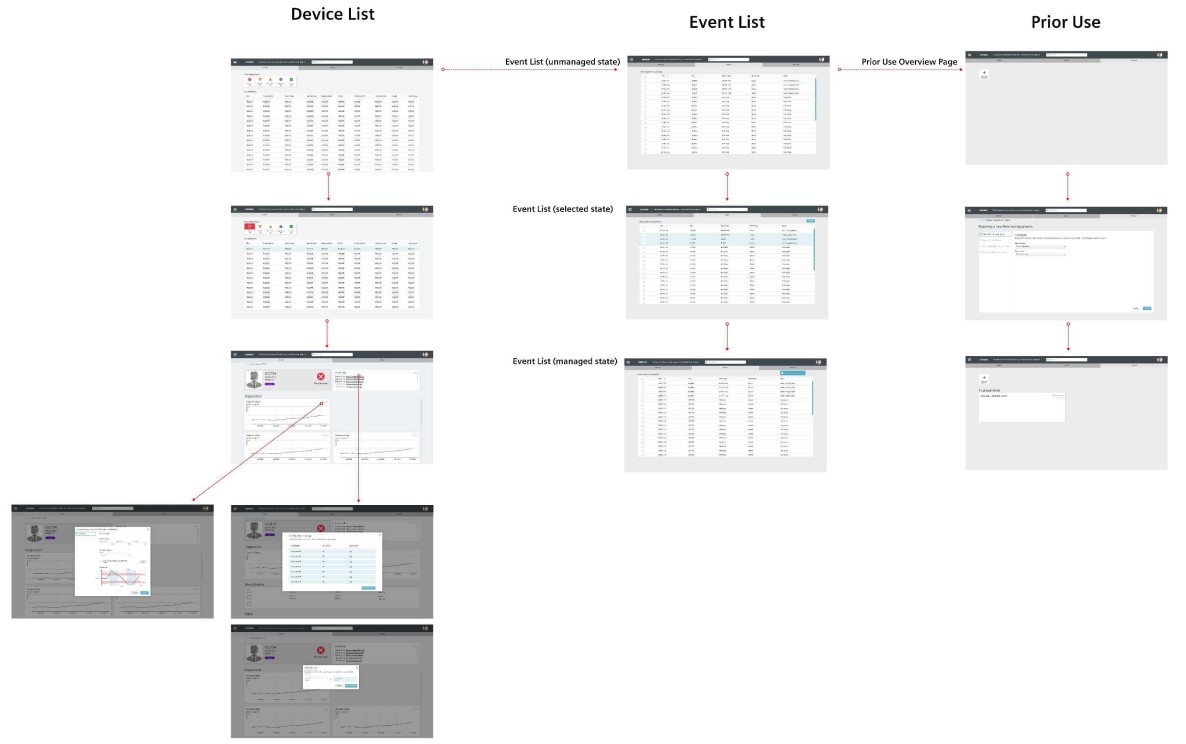
Site Map of basic functionality of the App
First Hi-Fi Testing Insights
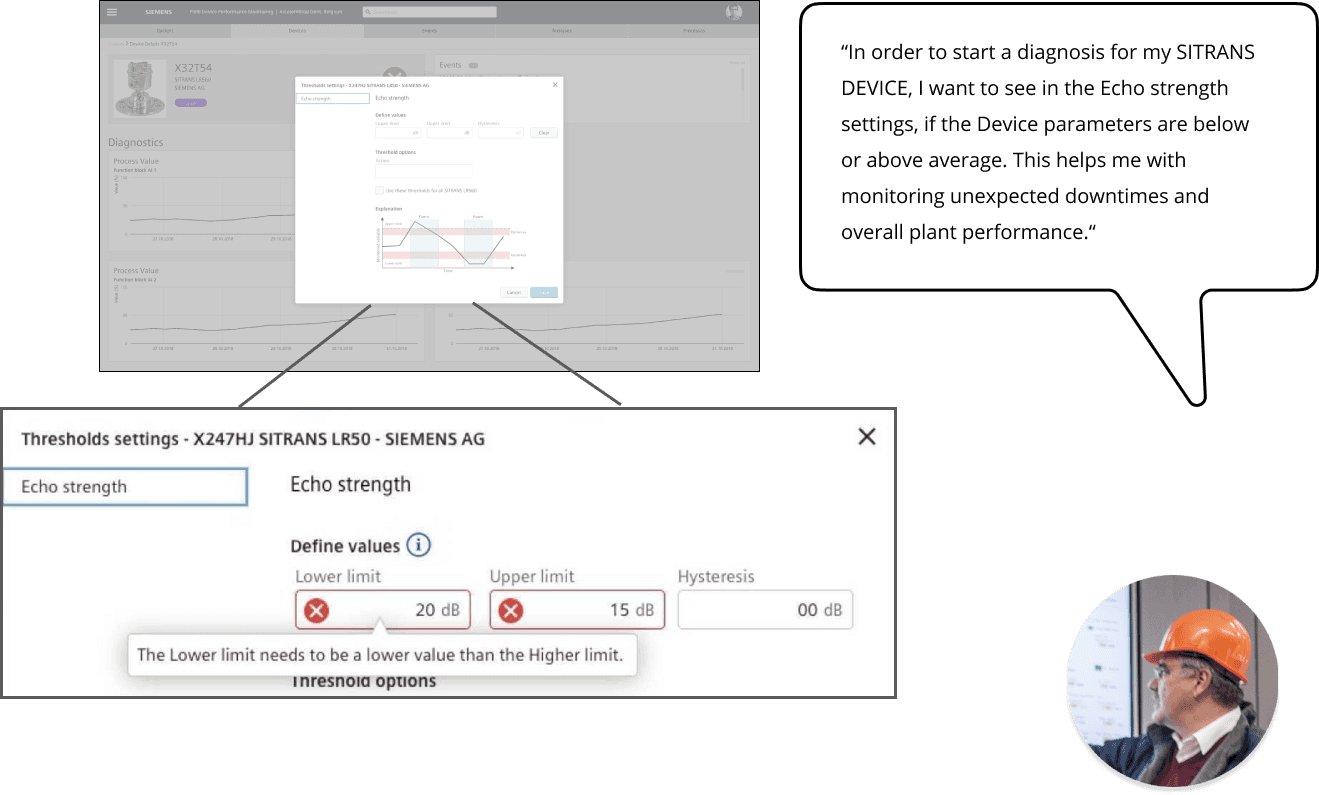
The Asset Manager can set the Diagnostic Values for e.g. Echo Strength.
The device parameter settings
Second Hi-Fi Testing Insights
In the Device overview page, the latest Device alerts are displayed on the top with green highlight.
The Asset manager can manage multiple devices at one and save time. They are then stored in the archive folder.
Results
Consistent Design Language
Established a unified and scalable design system by leveraging the Global Enterprise UX Library. Through a bi-weekly sprint cycle, I led the creation of high-fidelity visual designs and detailed design specifications, ensuring responsive layouts adaptable across devices. Regular UX team workshops ensured adherence to global UX standards and facilitated seamless handoff to development teams.
Effective Developer Collaboration
Fostered close collaboration with developers through regular design reviews and specification updates. This proactive communication ensured that design intent was preserved in the final product and accelerated development efficiency.
Positive User Feedback & Adoption
The app’s intuitive interface and AI-driven features received high user satisfaction scores, reflected in positive reviews and feedback. The solution demonstrated strong user adoption and engagement across B2B clients globally, highlighting its effectiveness in real-world field operations.